.png)
Personal Learning Device (PLD)
Find out about the three iPad purchase options available for students at Crescent, including the MOE bundle and bring-your-own-device options.
Personal Learning Device (PLD)
Crescent has selected iPad with iPadOS for students for the following rationale:
It is suitable for learning on-the-go.
It comes with smooth inking with Apple Pencil.
It has many educational apps available in iOS app store for T&L.
Apple Classroom allows teachers to better monitor, control and share resources with students during lessons.
Parents are given 3 options for m-Learning @ Crescent
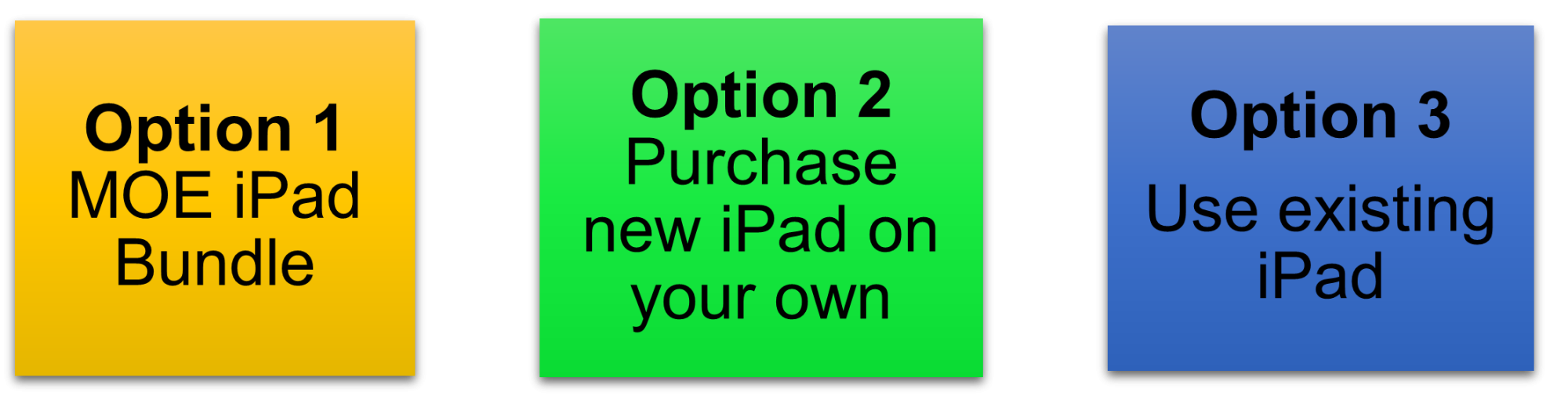
Parents are given the flexibility and autonomy, through Option 2 and 3, to choose the most suitable model of iPad for their daughter if it is compatible with the MOE Device Management Application (DMA) and the apps for teaching and learning in school.
Option 1: MOE iPad Bundle
The school has made arrangements for you to purchase the PLD from AsiaPac Distribution Pte. Ltd. (Vendor) for your child’s/ward’s use in school. The vendor has been identified based on the choice of device determined by the school from a panel of awarded suppliers established by MOE. The PLD bundle which includes warranty and insurance for purchase by your child/ward will be:
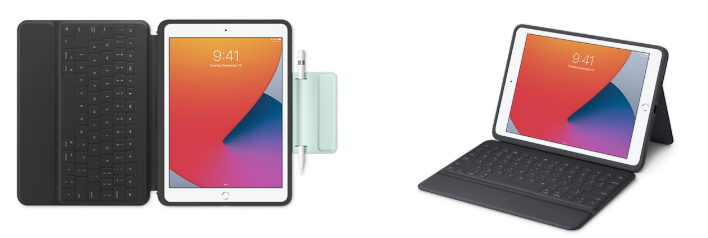
10.9-inch iPad 10th Gen Wifi 256GB – Silver, with 4-year warranty and insurance (for puchase made in 2026)
Apple Pencil (1st Gen) with 4-year warranty (for puchase made in 2026)
Logitech Rugged Combo 4 – protective keyboard case with 4-year warranty (for puchase made in 2026)
Insurance coverage
Insurance Coverage | |
|---|---|
- Fire | - Lightning |
- Power surges | - Accidental e.g water spillage, drop etc. |
- Theft due to forcible entry | - Robbery |
Warranty Coverage
Warranty Coverage | |
|---|---|
- Manufacturing defects | - Internal mechanical faults |
- Inherent defects, wear and tear | - Unattended equipment |
- Unexplained or mysterious circumstances | - Intentional acts |
- Used by others | - Consequential Loss |
- Loss of data | |
Duration coverage
Duration of insurance Coverage | No. of Repair/ Replacement Allowed |
4 years (for puchase made in 2026) | 2 Repairs / 1 Replacement |
The company’s liability on the insured equipment under this policy will cease at the earliest of one of the following events:
Any 2 repair claims in any policy year
1 replacement (subject to sum insured) in any policy year
1 repair + 1 replacement (in this scenario, repair claim must always come first)
Option 2 – Purchase New iPad on Your Own and Option 3 Bring Existing iPad
Parents who opt not to purchase the MOE iPad bundle must ensure that their new or existing iPads meet the following conditions:
Compatible with Device Management Application (DMA) software
Must have a compatible stylus and keyboard cover (e.g Apple Pencil, Logitech Touch Combo 3)
DMA must be installed on the iPad
Factory reset will be required (Existing data in the device will be wiped out)
Some Examples of Recommended Combo for Option 2 - Purchasing New iPad
iPad Pro 11-inch
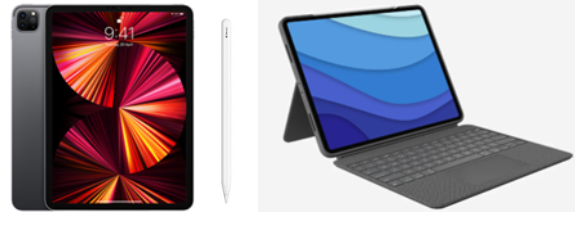
iPad Air 11-inch
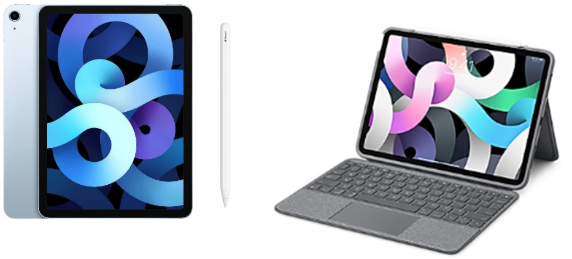
Parents who are opting for Option 2, purchasing a new iPad on your own, are strongly recommended to consider the add-on, Apple Care+ for the following rationale:
Warranty being extended to 2 years.
Servicing can be done at Apple Service Centres.
Accidental damage protection is included with a service fee
(Please refer to the full T&C on the link: https://www.apple.com/sg/support/products/ipad/ (opens in new tab)
Apple Service Centres (for both Option 1 and 2)
Apple Service Centres
No. | Service Centre Location | Service Centre Number | Service Centre Email | Service Centre Operating Hours |
|---|---|---|---|---|
1. | Apple Retail Store @ Jewel Changi Airport | 1800 407 4948 | Mon – Thu: | |
2. | Apple Retail Store @ Orchard Road | 1800 699 2824 | Mon – Sun: | |
3. | Apple Retail Store @ Marina Bay Sands | 1800 407 4949 | Mon – Sun: |
The table below shows other iPad models that are compatible with MOE DMA.
Compatible list of MOE DMA
Model Number | |||
|---|---|---|---|
Model Name | Wi-Fi Only | Wi-Fi & Cellular | Compatible Apple Pencil |
iPad Air 4th Gen | A2316 | A2324 or A2325 or A2072 | Apple Pencil 2nd Gen |
iPad Pro 11 inch 1st | A1980 | A2013 or A1934 or A1979 | Gen Apple Pencil 2nd Gen |
iPad Pro 12.9 inch 3rd Gen | A1876 | A2013 or A1934 OR A1979 | Apple Pencil 2nd Gen |
iPad Pro 11 inch 2nd Gen | A2228 | A2068 or A2230 or A2231 | Apple Pencil 2nd Gen |
iPad Pro 12.9 inch 4th Gen | A2229 | A2069 or A2232 or A2233 | Apple Pencil 2nd Gen |
*Parents may choose the most suitable iPad for their daughter, but ICT Department will need to evaluate the compatibility of the iPad with DMA and other school ICT Apps used for T&L.
*Please note that parents will not be able to use Edusave for the purchase of new iPad under Option 2
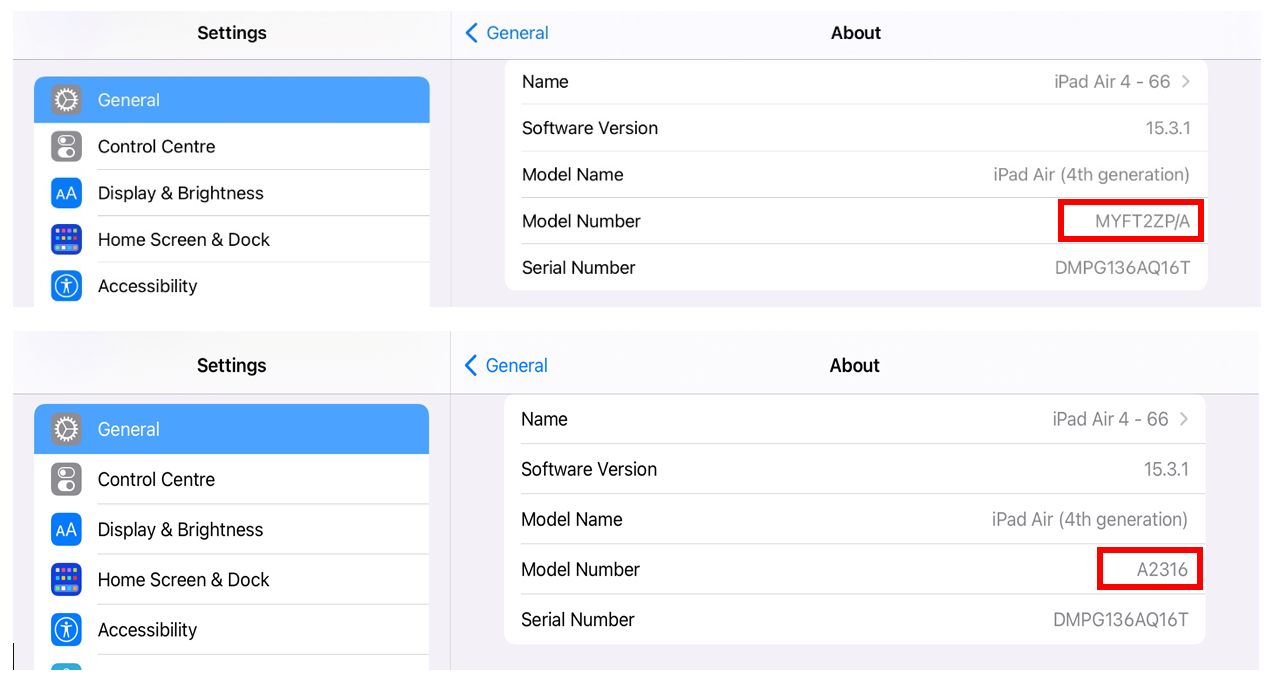
How to Find the Model Number of your iPad
Open the Settings app and tap on General > About Look for the Model entry on this page. You should see a model number beginning with an ‘M’. Tap on the Model entry and it will show a model number beginning with an ‘A’. The image below shows the iPad model is “A2316”